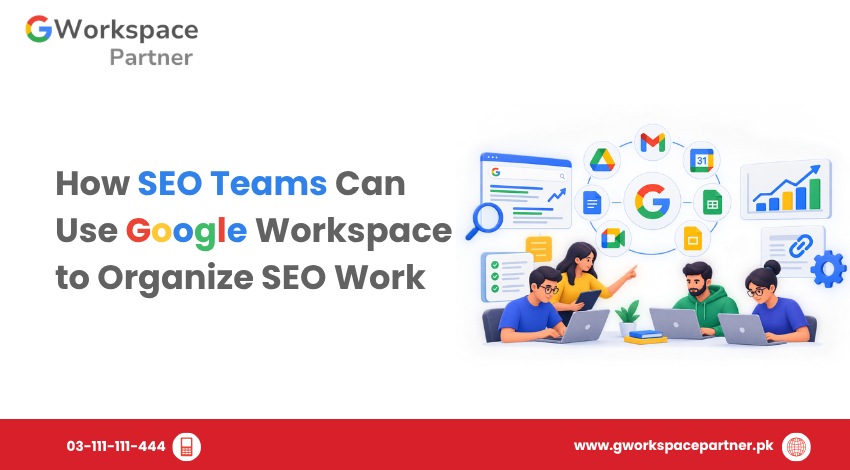
SEO teams manage many connected activities, including keyword research, content planning, technical fixes, on-page optimization, and performance reporting. When tasks, documents, and deadlines are spread across different tools, it becomes harder to track progress and coordinate work.
Google Workspace can help SEO teams organize these activities through shared spreadsheets, documents, calendars, and team communication tools. When these apps are used together, teams can create a clear workflow, assign responsibilities, and maintain consistent records of SEO projects.
This guide explains how SEO teams, digital marketing agencies, and businesses in Pakistan can use Google Workspace to organize their daily SEO work.
A shared task tracker gives everyone a clear view of ongoing SEO work. Instead of maintaining separate task lists, the team can use one spreadsheet to record assignments, deadlines, priorities, and progress.
Create a Google Sheets tracker with these columns:
For example, an SEO agency managing several client websites could use the same template for content updates, technical SEO fixes, and internal linking improvements while keeping each client’s tasks organized.
SEO task | Owner | Status | Deliverable |
Update service page | SEO specialist | In progress | Updated page content |
Review article draft | Content editor | Under review | Approved draft |
Fix crawl issue | Developer | Not started | Verified technical fix |
Review organic performance | SEO analyst | Completed | Monthly report |
This is an illustrative example rather than a record of actual project results.
Use spreadsheet filters to view overdue tasks, high-priority work, or assignments belonging to a particular team member. Review the tracker regularly so that its status reflects actual progress.
SEO projects generate many documents, including keyword lists, competitor research, content briefs, technical audit reports, and client presentations.
Google Drive helps teams organize these files in a shared location.
A practical folder structure could look like this:
Use consistent file names, such as Client-A-SEO-Report-October-2026, so team members can identify documents easily.
For agencies, separate client folders help reduce confusion between projects. Review file-sharing permissions regularly and give each person access only to the resources they need.
Keep a clear distinction between internal working documents and files intended for clients. This is particularly important when research includes confidential business information or unpublished website strategies.
Content production often involves SEO specialists, writers, editors, and website managers. A shared content brief helps everyone work from the same instructions.
Use Google Docs to prepare a brief for each article, blog post, or landing page.
Include:
Writers can draft content in Google Docs while editors and SEO specialists use comments and suggested edits to provide feedback.
For example, an SEO specialist reviewing a service-page draft can comment on a missing internal link or an unclear heading. The writer can address the feedback in the same document, reducing the need for separate versions and email attachments.
Google Docs supports the editorial process, but keyword selection and content recommendations should still be based on appropriate SEO research and the intended audience’s needs.
A content calendar helps teams coordinate writing, editing, approvals, and publication dates.
Google Sheets can serve as the main editorial planning document, while Google Calendar can highlight important deadlines and meetings.
A content calendar should include:
Field | Purpose |
Content title | Identifies the planned article or page |
Primary keyword | Defines the main search target |
Content type | Pillar page, supporting article, or landing page |
Writer | Identifies the person creating the draft |
Reviewer | Identifies the person responsible for review |
Draft deadline | Sets the expected submission date |
Publication date | Records the planned publication date |
Status | Tracks progress through production |
Google Calendar can be used to schedule editorial reviews, client approval meetings, and content delivery deadlines.
Avoid duplicating the entire project tracker in Calendar. Keep task details and status in Sheets, and use Calendar for time-sensitive commitments.
This arrangement helps teams identify upcoming deadlines without having to search through multiple conversations.
SEO work often requires coordination between content teams, developers, account managers, and clients.
Google Chat can support project discussions, while Google Meet can be used for meetings that require detailed explanations or screen sharing.
Teams can organize communication around specific workstreams, such as:
When discussing a task, link to the relevant spreadsheet or document so everyone can find the latest information.
Record important decisions, approvals, and action items in the appropriate project tracker or document. Chat messages should not be the only record of a deadline or technical change.
The greatest benefit comes from using the apps together rather than treating each one as a separate tool.
Consider a team preparing an article to support a website’s SEO strategy.
Step 1: Record the task. Add the article, owner, priority, and deadline to the Google Sheets project tracker.
Step 2: Prepare the brief. Create a Google Docs document containing the search intent, keywords, headings, and internal linking requirements.
Step 3: Store project files. Save the brief, research, and supporting documents in the correct Google Drive folder.
Step 4: Schedule reviews. Add important editorial review and approval dates to Google Calendar.
Step 5: Coordinate the team. Use Google Chat to resolve questions and share relevant documents.
Step 6: Approve and publish. Update the tracker when the content has passed review and been published.
Step 7: Record performance. Add the page to the reporting workflow and review its organic search performance after an appropriate period.
This process creates a clear connection between planning, execution, publication, and measurement. It also makes it easier to identify where a task is delayed and who needs to take the next action.
SEO reporting should help teams decide what to do next, not simply list metrics.
Google Sheets can organize performance data, while Google Docs can present the findings and recommendations in a readable report.
Depending on the project, a monthly SEO report may include:
Teams can import or enter relevant data from Google Search Console, Google Analytics, and specialist SEO tools, depending on the available exports and integrations.
A useful report should explain what changed, which tasks were completed, and what action is recommended next. Avoid claiming that a particular SEO task caused a traffic or ranking improvement unless the available evidence supports that conclusion.
Google Workspace helps organize and present SEO reporting, but dedicated tools remain necessary for many research, crawling, rank-tracking, and backlink-analysis tasks.
A well-organized workflow depends on consistent team practices, not just the choice of software.
Follow these recommendations:
Start with a simple system that the team can maintain. Add automation and more detailed reporting only when they solve a clear operational problem.
SEO agencies and in-house marketing teams in Pakistan can use Google Workspace to coordinate work across different clients, departments, and locations.
For example, an agency working with local businesses may need to coordinate service-page optimization, local SEO tasks, content production, client approvals, and monthly reports. A shared tracker and organized client folders can make these responsibilities easier to manage.
Ranksols.pk is an example of an SEO services provider in Lahore, Pakistan. For an agency such as Ranksols, a structured Google Workspace workflow could support the coordination of client deliverables, content reviews, task assignments, and reporting. The actual tools and workflow should be selected according to the agency’s operating requirements.
Google Workspace does not guarantee higher search rankings. Its value is in helping teams organize their work, maintain records, and follow through on SEO activities more consistently.
Yes. Google Workspace can support SEO project management through shared task trackers, project documents, content calendars, team communication, and reporting files. Teams with more advanced requirements may also benefit from dedicated project management software.
Google Sheets is useful for task tracking and content calendars. Google Drive organizes project files, Google Docs supports content briefs and reviews, Google Calendar manages deadlines, and Google Chat and Meet support team communication.
Yes. An agency can use separate client folders, trackers, content calendars, and reporting documents. Clear naming conventions and appropriate access permissions help keep projects organized and protect client information.
No. Google Workspace helps organize SEO work but does not replace specialist tools for comprehensive keyword research, technical crawling, backlink analysis, or rank tracking.
Yes. Small teams can begin with a shared task tracker, a structured Drive folder, and a reusable content brief. They can add more tools and automation as their workload grows.
Google Workspace provides SEO teams with a practical way to organize research, content production, technical tasks, deadlines, and reporting. By combining Google Sheets, Drive, Docs, Calendar, Chat, and Meet in a consistent workflow, teams can reduce confusion and make responsibilities clearer.
For SEO agencies and businesses in Pakistan, a central project tracker, a structured folder system, and a repeatable content approval process are good starting points.
If your organization needs help choosing and setting up Google Workspace, gworkspacepartner.pk can help you explore plans suited to your business requirements.
As G Suite resellers in Pakistan, we offer great prices on tools that improve communication, enhance teamwork, and provide strong security. Boost your business efficiency with us today!
97-C OPF Society, Khayaban-e-Jinnah Road, Lahore, Pakistan
Copyright © 2025 gworkspacepartner.pk All Rights Reserved.
WhatsApp us