
Remote learning changed the way educational institutions operate in Pakistan. During school closures and hybrid learning periods, many schools, academies, and colleges relied heavily on WhatsApp groups, Zoom links, personal Gmail accounts, and manually shared PDF files to continue classes.
At first, this worked as a temporary solution. But as online education continued, many institutions started facing serious challenges:
For many schools, remote learning became difficult not because teaching was impossible, but because communication and organization were scattered across too many disconnected platforms.
This is where Google Workspace became a practical solution for educational institutions. Instead of using separate tools for meetings, file sharing, communication, and assignments, schools can manage everything within one connected system.
For schools, academies, universities, and training institutes in Pakistan, Google Workspace helps create a more organized digital learning environment for students, teachers, and administrators.
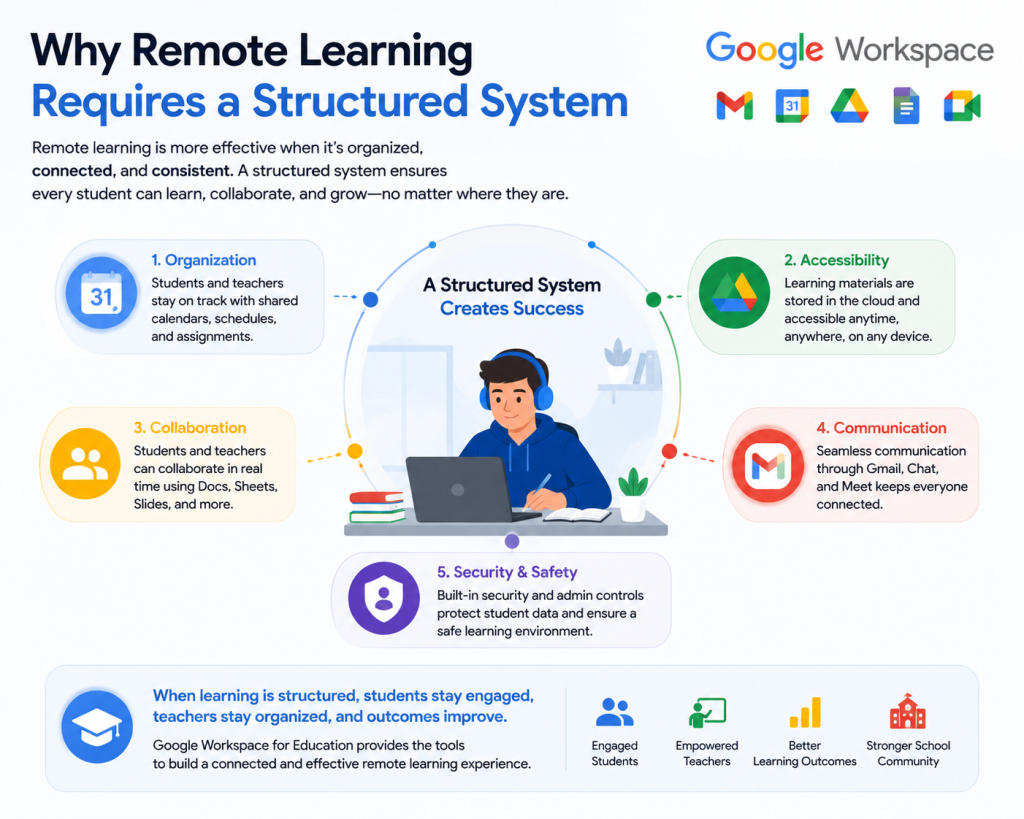
Remote learning is not only about video classes. Educational institutions need a proper system that keeps communication, coursework, scheduling, and collaboration organized.
Without structure, schools often face problems such as:
A proper remote learning setup should allow institutions to:
Google Workspace supports these requirements through connected collaboration and communication tools designed for educational environments.
Instead of depending on multiple disconnected apps, Google Workspace allows educational institutions to manage remote learning from a centralized platform.
This creates:
For institutions managing hundreds or even thousands of students, this centralized approach becomes extremely important.
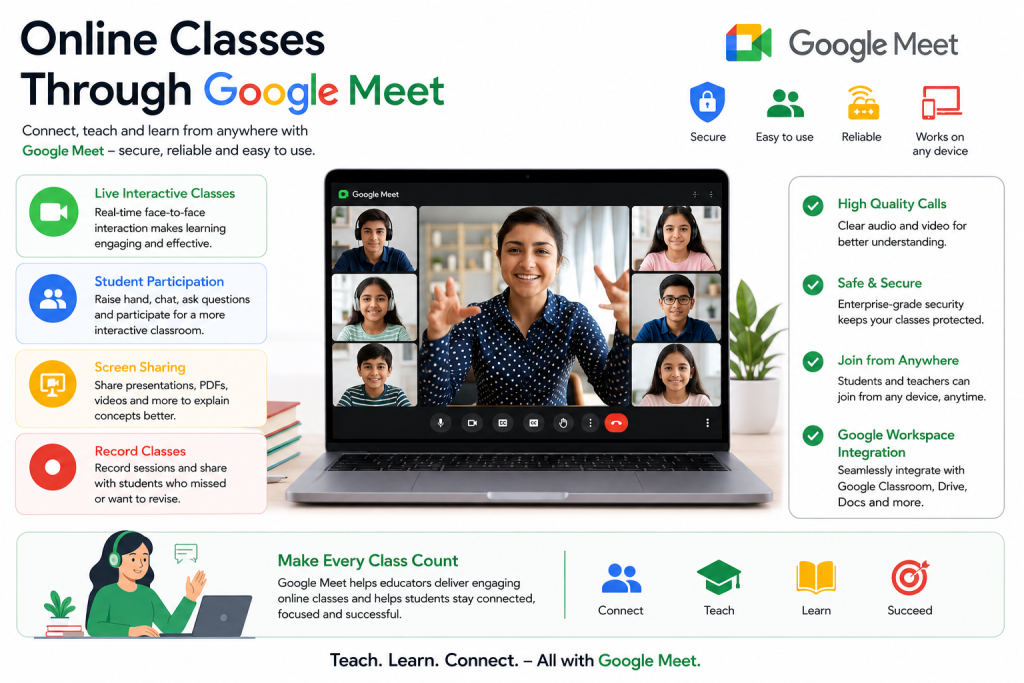
Google Meet helps teachers conduct live online classes from anywhere.
Teachers can:
One major advantage for Pakistani educational institutions is mobile accessibility. Many students rely primarily on Android phones for online learning, and Google Meet works across smartphones, tablets, and laptops.
This flexibility helps schools support students even when device availability differs between households.
A school in Lahore may conduct physical classes during the day while simultaneously allowing absent students to join remotely through Google Meet.
This helps maintain learning continuity during:
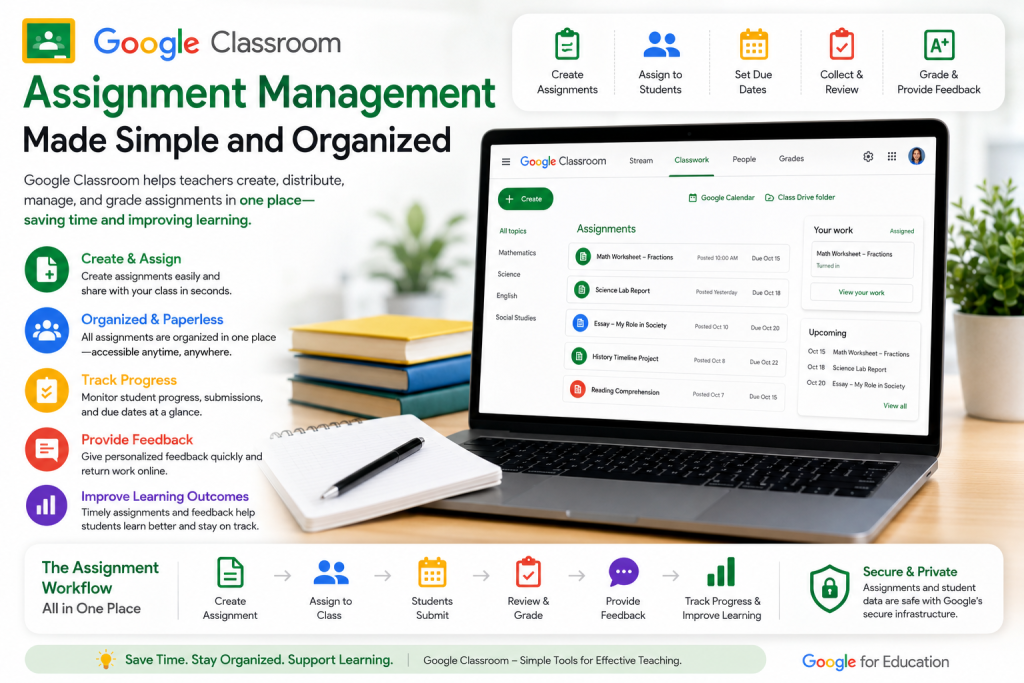
Google Classroom helps teachers organize academic work digitally.
Instead of sending assignments through messaging apps, teachers can:
Students can:
This creates a more structured digital classroom experience and reduces confusion for both students and teachers.
Before:
After:
This type of structure becomes especially valuable for schools handling large student groups.
Google Drive allows institutions to store educational content in shared folders accessible to teachers and students.
Schools can organize:
This reduces dependency on repeated file sharing through emails or chat applications.
A coaching academy in Karachi can upload recorded lectures to shared Drive folders so students from different cities can access lessons anytime.
This helps institutions support:
Gmail with a custom educational domain helps institutions maintain more professional communication.
Instead of personal email addresses, schools can create accounts like:
This improves:
For many Pakistani institutions, moving away from personal Gmail accounts becomes important as student numbers increase.
Google Calendar helps educational institutions organize academic activities more efficiently.
Schools can manage:
Automatic reminders help students and teachers stay informed without relying entirely on manual messaging.
Many schools initially use different tools for different tasks:
Over time, this often creates operational confusion.
Teachers may need to manage:
Students also become confused about:
Using one connected ecosystem helps reduce this confusion significantly.
With Google Workspace:
This improves the overall remote learning experience for everyone involved.
Teachers often carry the biggest workload during remote learning transitions.
Without proper systems, teachers may spend excessive time:
Google Workspace reduces much of this administrative burden.
Faculty members can work together on:
Multiple staff members can work on the same documents and folders without repeatedly sending updated files back and forth.
A school operating branches in Islamabad and Rawalpindi can allow academic coordinators and teachers to collaborate through shared folders and documents in real time.
This improves consistency across campuses.
Remote learning becomes more effective when students can easily access educational resources.
Students can join classes and access coursework using:
This is especially important in Pakistan, where many students depend on mobile devices instead of personal computers.
Students can quickly find:
This reduces confusion and improves academic consistency.
Students can work together on:
Real-time collaboration encourages participation even when students are learning remotely.
One commonly overlooked part of remote learning is parent communication.
Many schools struggle with:
Google Workspace helps schools maintain more organized communication with parents through:
This creates more transparency between schools and families.
As remote learning grows, institutions need stronger administrative management.
School administrators often need to manage:
Google Workspace provides centralized administration tools that help institutions manage users more securely.
Administrators can:
This becomes especially important for larger institutions with multiple departments or campuses.
As remote learning grows, institutions need stronger administrative management.
School administrators often need to manage:
Google Workspace provides centralized administration tools that help institutions manage users more securely.
Administrators can:
This becomes especially important for larger institutions with multiple departments or campuses.
Educational institutions in Pakistan face unique challenges during remote learning.
These may include:
Google Workspace helps institutions work around many of these realities because:
This flexibility makes remote learning more manageable for institutions operating in varying technical conditions.
Many schools now use hybrid education models where:
Google Workspace supports this approach effectively because students can continue accessing:
even when they are not physically present on campus.
This helps institutions maintain continuity without separating online and physical learning systems completely.
Educational institutions should plan remote learning carefully instead of deploying tools randomly.
Important considerations include:
Schools that properly structure their remote learning systems usually experience:
Setting up a proper remote learning environment often requires technical planning and onboarding support.
Institutions may need assistance with:
gworkspacepartner.pk, a Pakistan-focused Google Workspace partner under CreativeON.com, provides setup and deployment support for schools, academies, businesses, and educational organizations looking to implement Google Workspace effectively.
This may include:
The focus is usually on helping institutions create practical and manageable remote learning environments rather than simply activating accounts.
Yes. Educational institutions can manage teachers, students, communication, and shared resources across multiple campuses from one centralized system.
Many Google Workspace tools are optimized for mobile access and varying internet conditions. Students can also access shared materials later if live connectivity becomes unstable.
Yes. Institutions can store lecture recordings and educational materials in controlled Google Drive folders with managed access permissions.
Schools usually begin with basic onboarding sessions focused on Classroom, Meet, Drive, and email communication. Teachers often adapt gradually as workflows become standardized.
Yes. Teachers can distribute, collect, review, and grade assignments digitally through Google Classroom.
Yes. Students can work together on documents, presentations, and shared projects in real time.
Administrators can suspend or manage accounts centrally while maintaining institutional control over educational data.
Yes. It supports both physical and remote learning environments together, making hybrid education easier to manage.
Remote learning becomes difficult when communication, assignments, scheduling, and educational resources are spread across multiple disconnected systems.
Google Workspace helps educational institutions create a more organized and manageable learning environment by bringing communication and collaboration tools together in one place.
For schools, academies, colleges, and universities in Pakistan, this can help improve:
As remote and hybrid education continue growing, institutions increasingly need systems that are practical, centralized, and easier for both teachers and students to manage daily.

As G Suite resellers in Pakistan, we offer great prices on tools that improve communication, enhance teamwork, and provide strong security. Boost your business efficiency with us today!
97-C OPF Society, Khayaban-e-Jinnah Road, Lahore, Pakistan
Copyright © 2025 gworkspacepartner.pk All Rights Reserved.
WhatsApp us