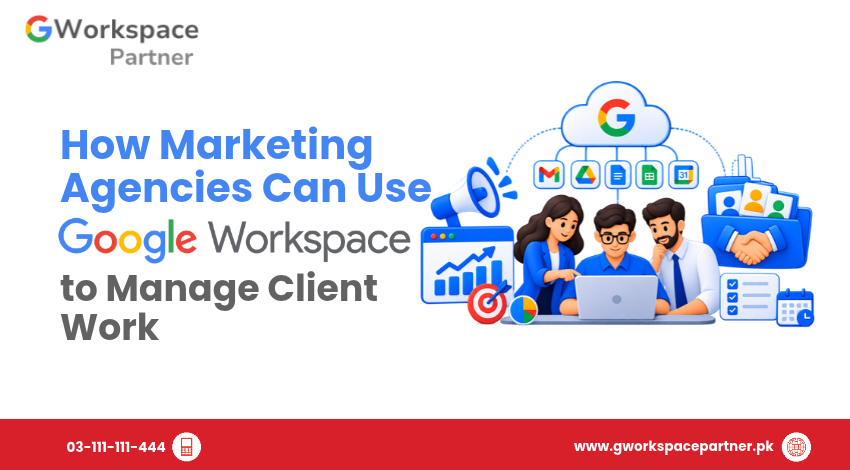
Marketing agencies often manage several clients across SEO, social media, content marketing, and paid advertising. Each client has different campaign requirements, deadlines, documents, and approval processes.
When these activities are spread across email conversations, personal storage, and separate communication tools, keeping track of client work becomes difficult.
Google Workspace gives marketing agencies a practical way to organize client communication, manage campaign files, collaborate on deliverables, and coordinate their teams. By using its applications together, agencies can establish a consistent workflow without making everyday tasks unnecessarily complicated.
Marketing agencies regularly handle campaign strategies, content calendars, creative assets, advertising reports, and client documents. Keeping these files organized is essential when multiple team members work on different accounts.
Google Drive Shared Drives can help agencies maintain separate workspaces for individual clients. For example, an agency managing SEO and social media for a retail business could organize its files as follows:
Client ABC – Marketing
Shared Drives are particularly useful because files belong to the organization rather than individual employees. This means important client documents remain available when a team member leaves the agency. Availability depends on the agency’s Workspace edition and administrator settings.
Google Workspace Learning Center+1
Client communication is an important part of agency operations. Account managers regularly receive campaign updates, content approvals, meeting requests, and project feedback.
Gmail helps agencies manage these conversations through professional business email accounts and email organization features.
For example, an agency could use:
Gmail labels and filters can also help organize conversations by client or project.
An account manager could create labels such as:
This makes it easier to locate important conversations and follow up on pending client requests.
Marketing campaigns often require input from several team members. An SEO specialist may prepare a content strategy, a writer develops the articles, and an account manager reviews the material before sending it to the client.
Google Docs allows these team members to work on the same document instead of exchanging multiple attachments.
Agencies can use it to:
For example, an agency preparing a monthly content plan can share a Google Doc with its writer and account manager. Both can review the same document and suggest changes before client approval.
This reduces confusion over document versions and makes content reviews easier to manage.
Marketing agencies need to know which tasks are completed, which are in progress, and which are waiting for client approval.
Google Sheets can provide a straightforward campaign tracking system.
An agency can maintain a separate spreadsheet for each client or use a central tracker to monitor multiple accounts.
A useful campaign tracker could include:
Client | Deliverable | Assigned To | Due Date | Status |
Client ABC | Keyword Research | SEO Specialist | 5 Dec | Completed |
Client ABC | Blog Article | Content Writer | 8 Dec | In Progress |
Client XYZ | Social Media Designs | Designer | 10 Dec | Pending Approval |
Client XYZ | Monthly Report | Account Manager | 15 Dec | Pending |
Team members can update the spreadsheet as work progresses and include links to relevant documents or campaign files.
Google Sheets works well for basic deliverable tracking. Agencies handling complex projects with task dependencies, resource planning, and advanced workflows may still need dedicated project management software.
Regular meetings help agencies review campaign performance, discuss upcoming activities, and collect client feedback.
Google Calendar can help account managers organize these meetings and coordinate team availability.
Agencies can use it to:
For example, an agency can schedule a monthly SEO performance review with a client and invite the SEO specialist and account manager.
This provides a consistent meeting schedule and helps everyone prepare for discussions.
Marketing projects often involve SEO specialists, writers, designers, and account managers working together.
Google Chat helps teams discuss project updates without relying on lengthy email conversations.
An agency can create dedicated Chat spaces for:
Team members can share files, discuss updates, and organize conversations around specific projects.
Google Chat also supports tasks within spaces, allowing teams to assign tasks and set due dates.
If an agency wants to collaborate directly with clients through Chat, it should first check its administrator’s external communication settings and keep client-facing discussions separate from internal conversations.
Google Workspace Learning Center+1
Marketing agencies handle sensitive information, including campaign strategies, advertising budgets, unpublished content, and performance reports.
Google Drive allows agencies to share selected files with clients and assign different access levels.
For example:
Agencies should follow a few basic precautions:
Administrators can also restrict external sharing through Google Workspace settings. Some sharing options depend on the organization’s configuration and subscription.
Google Workspace Learning Center+2
Using individual applications is helpful, but agencies get more value when they follow a consistent process for managing every client.
Consider an agency handling SEO and social media campaigns for several businesses.
A simple workflow could look like this:
Following the same process for each client makes it easier for account managers to monitor deliverables and helps team members understand their responsibilities.
As an agency takes on more clients, maintaining consistent working practices becomes increasingly important.
Consider these recommendations:
These practices help agencies maintain organized client records and reduce confusion as their workload grows.
Yes. Agencies can organize separate client files, emails, campaign documents, reports, and meetings using Google Workspace applications. Shared Drives and structured folder permissions can help keep client information organized.
Yes. Agencies can share selected files and folders with clients and assign Viewer, Commenter, or Editor permissions. External sharing must be allowed by the organization's administrator.
Yes. Small and growing agencies can use Google Workspace for professional email, document collaboration, file storage, meetings, and basic campaign tracking.
Google Workspace supports basic task tracking, communication, document collaboration, and scheduling. However, agencies with complex workflows may benefit from dedicated project management software.
Gmail, Google Drive, Google Docs, Google Sheets, Google Calendar, and Google Chat are particularly useful for managing client communication, campaign documents, deliverables, meetings, and team collaboration.
Google Workspace provides content teams with a practical environment for managing the entire content production process.
Google Drive organizes content files, Google Sheets tracks editorial schedules, Google Docs supports writing and editing, while Google Chat, Calendar, and Tasks help coordinate assignments and deadlines.
By combining these tools with clear responsibilities, reusable content briefs, and a defined approval workflow, businesses and marketing agencies in Pakistan can manage content production more systematically.
For teams already using Google Workspace, these tools offer a useful starting point for organizing editorial operations without introducing unnecessary complexity.

As G Suite resellers in Pakistan, we offer great prices on tools that improve communication, enhance teamwork, and provide strong security. Boost your business efficiency with us today!
97-C OPF Society, Khayaban-e-Jinnah Road, Lahore, Pakistan
Copyright © 2025 gworkspacepartner.pk All Rights Reserved.
WhatsApp us